
PAX Terminal Plan
Need Help? paxsupport@pavilionpay.com
Terminal Replacement 2026
Purpose of PAX Upgrade
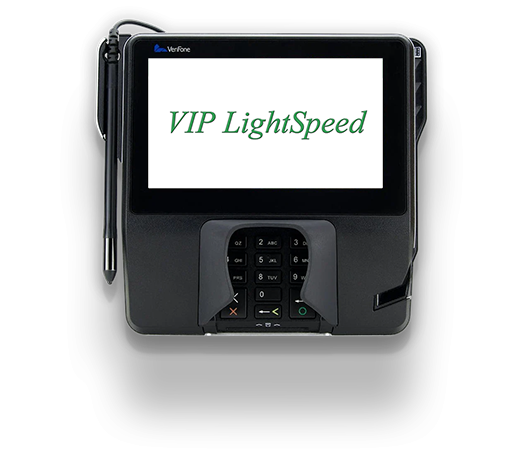
To deliver the best possible experience for patrons and ensure your property operates securely, efficiently, and in compliance, Pavilion Payments is performing an upgrade and replacement of cage payment terminals from the legacy Verifone MX925 to the PAX Aries8.
The Verifone MX925 is no longer supported by the manufacturer. As a result, a terminal refresh is required to reduce operational risk and improve performance, reliability, and security. Replacing the MX925 with the PAX Aries8 requires upgrading the VIPLightSpeed software. Due to system requirements, this software upgrade cannot be applied over the existing version and must be completed by uninstalling the current software and installing the newest version.
Installing the latest version of VIPLightSpeed ensures full compatibility with the PAX Aries8 terminals while improving usability, performance, and the overall user experience for both patrons and staff. This transition is more than a hardware replacement; it is a comprehensive upgrade that supports compliance and positions your property for long-term success. As part of ongoing platform modernization and lifecycle management, Pavilion Payments is transitioning away from legacy hardware in favor of newer, more capable technology.
Project Overview
Front Line & Reporting Windows Upgrade (MX925 to PAX Transition)
This project supports the transition from MX925 terminals to PAX Aries8 devices by deploying the newest compatible version of VIPLightSpeed across all applicable Windows systems. Based on software installation requirements, the VIPLightSpeed update is performed by uninstalling the existing software and installing the newest version.
Network Connectivity
Network Connectivity Requirement (Required)
All Front-Line Transactional Windows must have a dedicated Ethernet network connection. This connection is required for the PAX Aries8 terminal to communicate with VIPLightSpeed.
Without a network cable, the PAX device will not function.
Front Line Transactional Windows
All Front-Line Transactional Windows will be updated to the newest VIPLightSpeed software version required to support PAX payment terminals. Based on software installation requirements, this process requires uninstalling the existing version of VIPLightSpeed and installing the newest version.
As part of this upgrade and replacement:
- Existing MX925 devices will be removed and replaced with PAX Aries8 terminals
- A dedicated Ethernet network cable will connect each PAX device to VIPLightSpeed
- Use of PAX Aries8 terminals is mandatory for all Front-Line Transactional Windows
Expected Downtime: Approximately 20 minutes per transactional window
Reporting Windows
All Reporting Windows will be updated to the same newest VIPLightSpeed software version as the Front-Line Transactional Windows to ensure accurate transaction display and reporting. Based on software installation requirements, this update is completed by uninstalling the current version and installing the newest version.
- Reporting Windows do not require a PAX device
- Software version matching is required for reporting accuracy
The installation process for Reporting Windows follows the same procedure as Transactional Windows, except:
- PAX device installation is not required
- PAX-related documentation is not required
Expected Downtime: Approximately 5 minutes per reporting window
Installation Options

Technician Onsite

Property DIY
Property Self-Install (No charge)
- Equipment shipped to the confirmed address
- Installation guides and configuration documentation included:
- Remote Pavilion technical assistance available upon request
Technician Onsite (Charges apply)
- Equipment shipped to the confirmed address
- Installation completed by a scheduled technician
- Planning call(s) will be scheduled in advance
- MX925 Device Disposition Process
FAQs
Which Installation Option should I choose?
If your property has a designated IT team that has reviewed the provided Pax installation documentation and is comfortable with the required level of effort, the Property Self-Install option is the recommended choice. This option is best suited for teams with the technical expertise and internal capacity to complete the installation independently and within the required timeline.
If you do not have a dedicated IT team, or if your team prefers hands-on support to ensure a smooth and timely installation, the Technician Onsite installation may be the better fit.
What if I don’t update?
If delayed replacement or non-compliance results in regulatory fees, those fees may be passed through to your organization. Our goal is to complete all replacements before April 1, 2026.
Who do I contact with additional questions about this initiative?
Please email us at: paxsupport@pavilionpay.com
Will my Pax terminal include a stand?
No. Pax terminals do not include a stand by default. A stand option is available for purchase at an additional cost. Because stand needs vary by property setup and counter configuration, the stand is offered separately so properties can decide whether it is required for their environment.

.png)